
Conference
Ytel Conferences allow you to create conference calls with multiple callers. They can be scheduled as a one-off conference call or can be scheduled to repeat certain days. You can also view and manage your scheduled and active conferences.
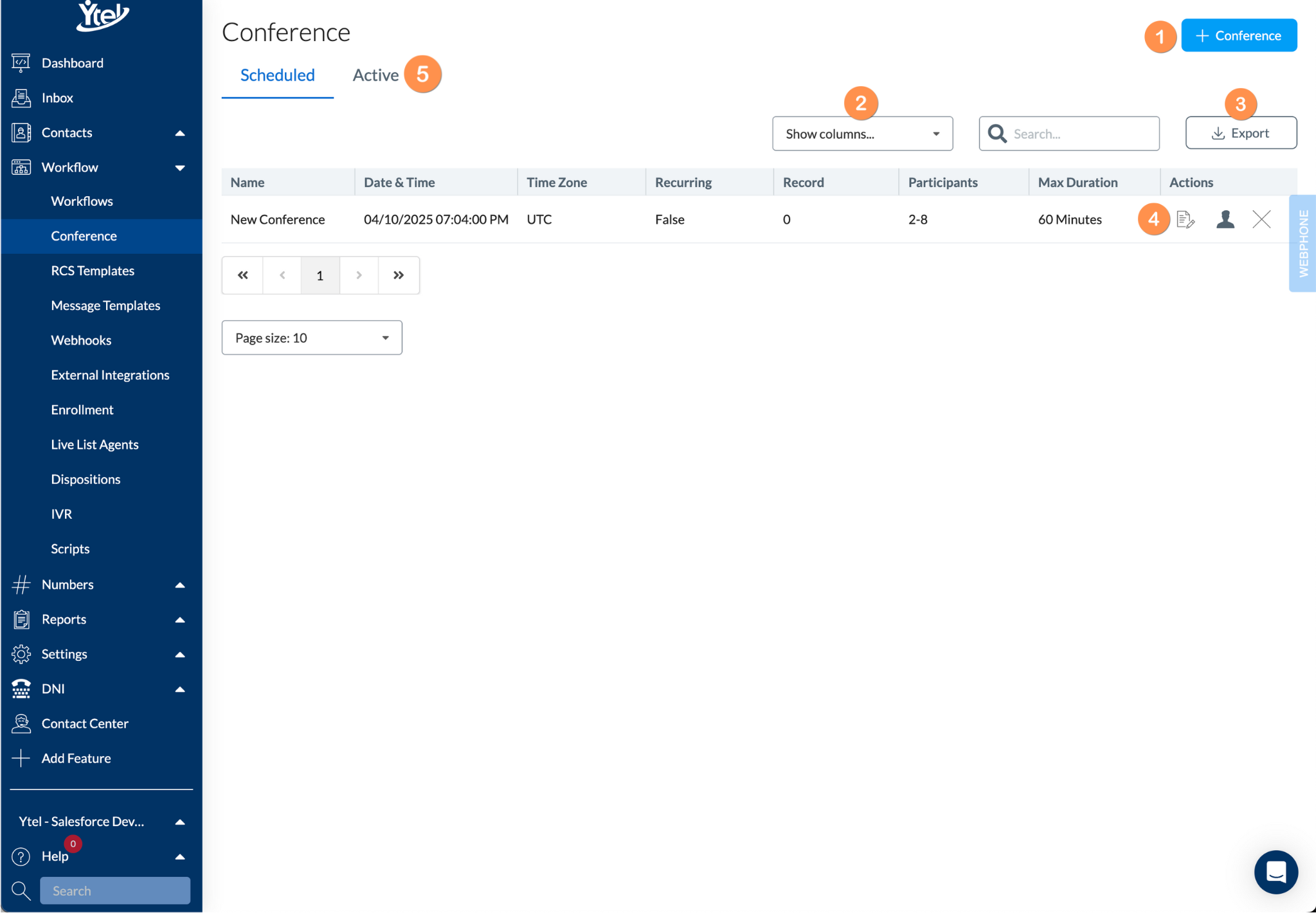
Conference (click to expand)
The default view shows you a list of your future scheduled conferences:
- Conference: Create a new conference.
- Show Columns: Show and hide columns displayed in your conference list.
- Export: Export your conference list to CSV.
- Row Actions: Edit your upcoming conferences, view and manage conference participants, and delete a conference if no longer needed.
- Active: Click the Active tab to view your active, in-progress conferences.
New Conference
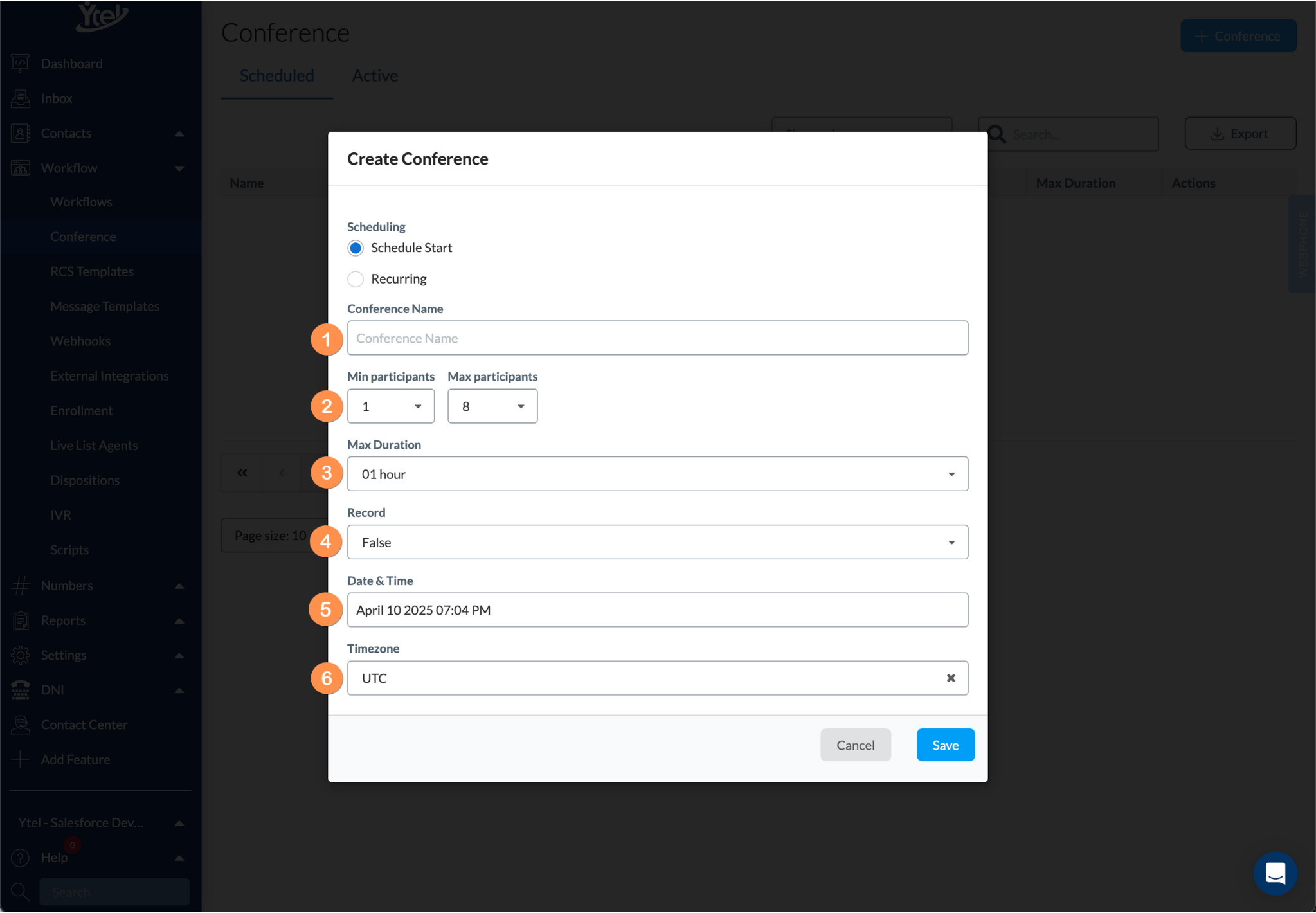
New Conference (click to expand)
Schedule Start
- Conference Name: Enter a conference name for future reference.
- Min and Max Participants: Choose the number of callers for your conference. If the number of participants includes some optional callers, make sure to include them in your count as any calls beyond the max amount set won’t be able to join the call.
- Max Duration: The anticipated duration of your conference call. Options are available in 5 minute increments.
- Record: Automatically record the call if needed.
- Date & Time: Scheduled date and time for your conference.
- Timezone: Timezone used to set your scheduled conference date and time.
Recurring
Conferences can be scheduled to recur multiple days of a given week. You’ll find one additional field titled Days, that allows you to toggle the specified days your conference should recur.
Updated over 1 year ago
Did this page help you?